Transactional email
Templates your own systems send by slug, the variables they must declare, the sent log, and why sent and delivered are different words.
Transactional email is one-to-one mail your systems trigger: receipts, alerts, confirmations, passcodes. You design a template here, and your code sends it through the API by its slug with the variables filled in. It is kept apart from broadcasts on purpose, and the rules are different.
Before you start: a verified, active sending address; see Set up email sending. A role with Manage email automations. The sending API is in the developer track: Send a transactional email.
Transactional mail ignores opt-outs
A receipt has to arrive even for someone who left the mailing list, so transactional messages carry no unsubscribe link and are not blocked by unsubscribes or suppressions. That is the reason this must never be used for marketing. Use a broadcast for anything a person did not ask for.
Create a template
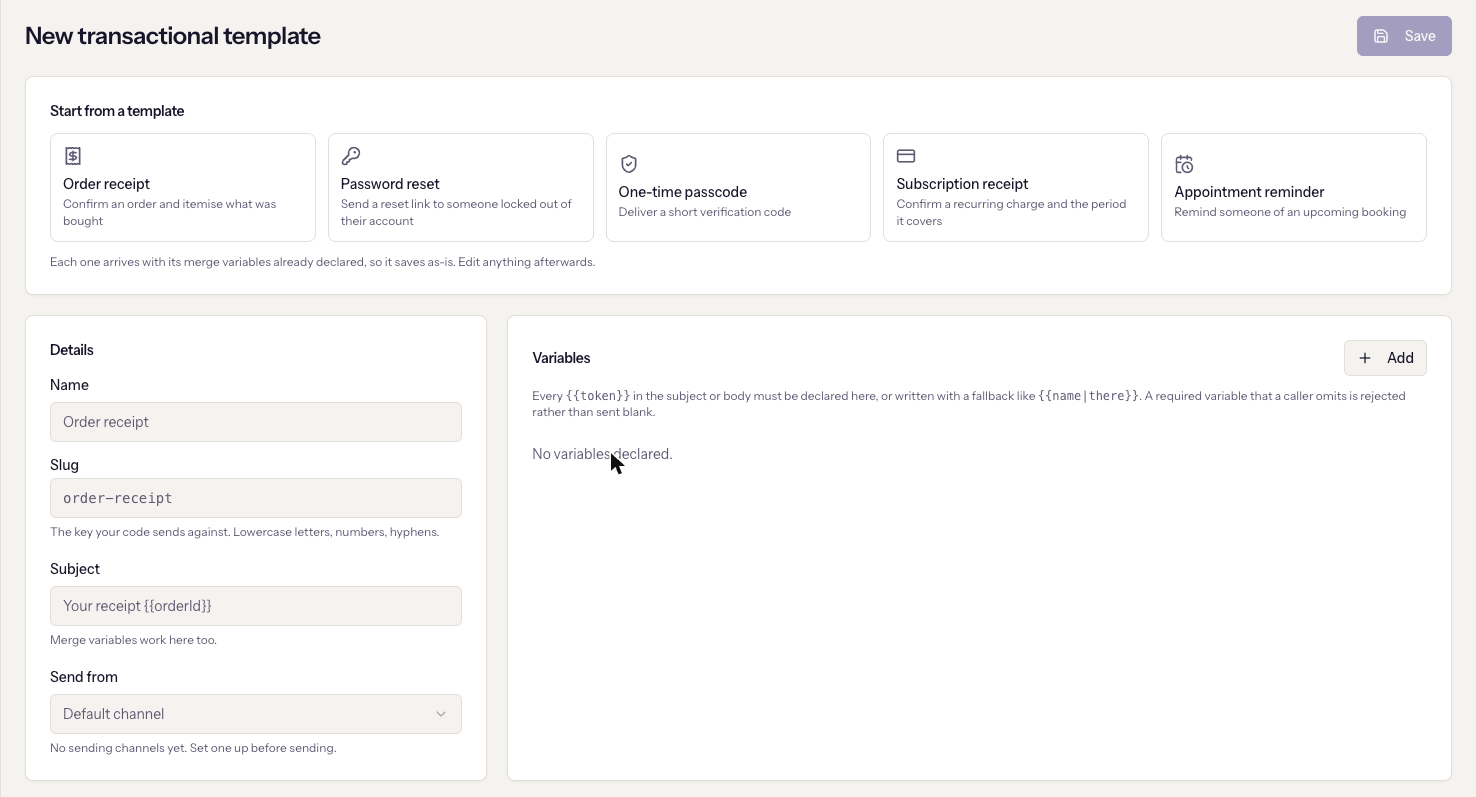
Email → Transactional → New template. A new template offers five starters, from an order receipt to a one-time passcode, each arriving with its variables already declared.
- Name, for your team.
- Slug: the key your code sends against, lowercase letters, numbers and hyphens. It is generated from the name until you edit it.
- Subject. Merge variables work here too.
- Send from: the sending address. Unverified and inactive addresses are listed but disabled.
- Variables: every
{{token}}in the subject or body must be declared here with a name, a sample value, and whether it is Required, or be written with a fallback such as{{name|there}}. A required variable the caller omits is rejected rather than sent blank. - Body, in the visual designer.
Save. Errors appear in a red banner above the form rather than a toast; an undeclared variable is the usual one, and the message names it.
The slug is permanent
Once saved, the slug is locked: "Fixed once created — your integration sends against it." Renaming it would silently break every system sending to it. Create a new template instead.
Send test on an existing template sends it to you using each variable's sample value, and it is recorded in the log like any other message.
Read the sent log
Email → Transactional → Sent log lists every message with its status. The statuses are deliberately distinct, and hovering one explains it:
| Status | Meaning |
|---|---|
| Rejected | Refused before contacting delivery: unknown template, missing required variable, or unverified channel. Nothing was sent. |
| Queued | Accepted and stored; a background sweep will retry the handoff. |
| Sent | Accepted by the delivery provider. Not yet confirmed delivered. |
| Delivered | Confirmed delivered to the recipient's mail server. |
| Bounced | The recipient's server rejected it. Recorded against the address; transactional sending is not blocked. |
| Complained | The recipient marked it as spam. |
| Failed | Could not be sent. Nothing reached the recipient. |
Open a message to see its delivery timeline, the variables it was sent with, the rendered content, and the Message ID, which is what the send API returned and what API errors refer to.
Metrics
The Metrics tab shows sent, delivered, bounced, complained, failed, and rejected over 7, 30, or 90 days, a volume chart, a breakdown by template, and Why sends were refused, which groups rejections by reason. There is no open rate on purpose: transactional mail carries no tracking pixel.
When it goes wrong
- The save banner names a variable. It is used in the subject or body but not declared. Declare it, or give it a fallback.
- Messages show Rejected. Open one; the reason chip says whether the template was unknown, a required variable was missing, or the channel is unverified.
- Sent but never Delivered. The provider accepted it and the recipient's server has not confirmed. Bounces arrive later and change the status.
- "Any code still sending against this slug will start failing." That is the delete confirmation. Deleting a template breaks the integration sending to it; deactivate or replace it instead.
- "No sending channels yet. Set one up before sending." See Set up email sending.